RemoveExpandBackgroundsToolsProSupportComing Soon
REMOVE

Tap it.It's gone.

Open a photo and REMOVE IT has already found every person and every thing in it. Tap one and it disappears, shadow and all, with what was behind it rebuilt at full resolution.

Free to tryNo uploadsNo creditsFull resolution

Before: yachts in the bayAfter: open water BEFOREAFTER
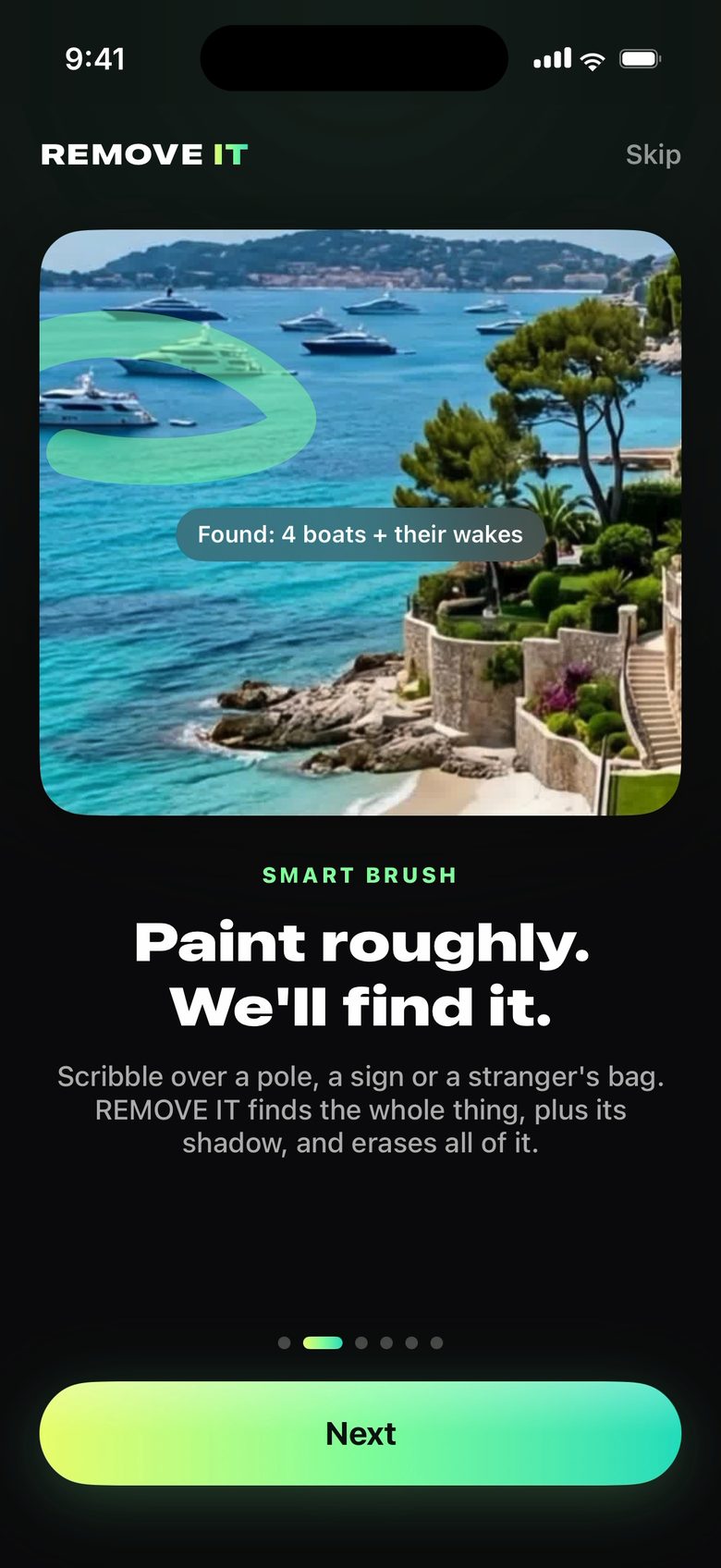
Smart Brush finding four boats and their wakes from one rough stroke
SMART BRUSH

Scribble it.
It finds the rest.

Paint roughly over a sign, a pole, a bin or a stranger's bag. Smart Select works out the whole object from your stroke, plus its shadow, and erases all of it. Or draw around anything with the Lasso.

PeopleCrowdsBoatsCarsPoles & wiresSignsShadowsAnything
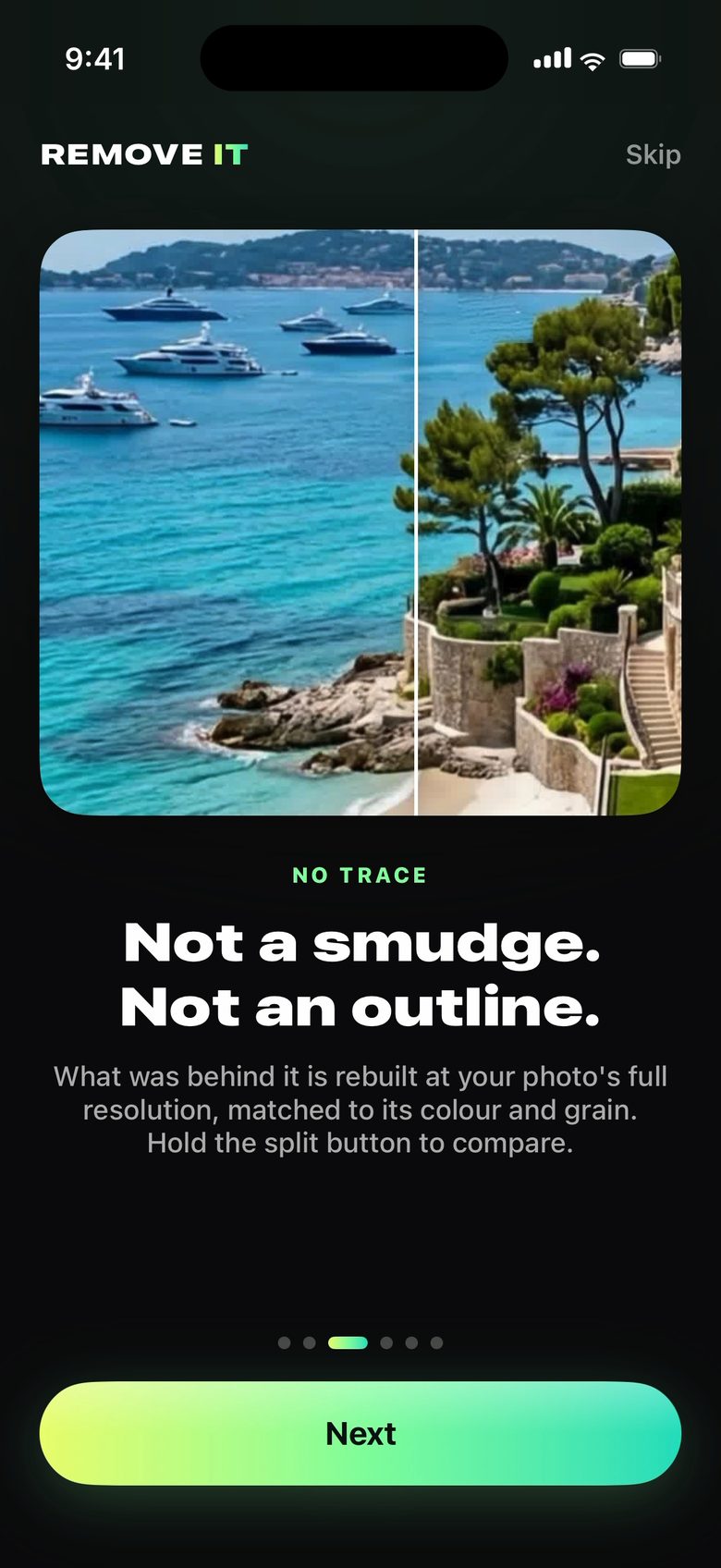
Before and after: the boats removed with no trace
NOT A TRACE

Nobody will
ever know.

Most removers leave a smudge you can spot from across the room. REMOVE IT rebuilds what was behind at your photo's full resolution, matched to its colour, light and grain.

Crowds in one tap

Tap "People" to take everyone, or "Crowd" to keep your subject and remove everyone else. The same for boats and cars.

Your original, untouched

Results save as new photos at full size. Undo and redo every step, even after you close a photo.

TELL IT WHAT YOU MEAN

Your words
come first.

Type it the way you'd say it. REMOVE IT follows you exactly, so a family photo never loses a person. Or change things instead of removing them: paint the sleeves, say "short sleeves", and a chilly day becomes a warm one.

DESCRIBE IT (OPTIONAL)
Remove the pole, my dad is standing behind it. Keep his shirt the same.
LooselyBalancedExactly
IN FRONT OF SOMEONEThe pole in front of Grandpa

Gone, and his shirt carries on behind it, exactly as it was.

BEHIND SOMEONEThe basket on the shelf behind Mom

The shelf comes back. Not a smudge of her.

WHAT THEY'RE WEARINGSunglasses, a scarf, a beanie

Paint it off and they're shown as if they never wore it.

AI DETAIL

Real texture,
not a guess.

Turn on AI detail and real texture is painted into what's rebuilt: fabric, hair, brick, leaves. Say what should be there ("his blue hoodie", "an empty wooden shelf") and it paints exactly that. Not quite it? Change a word and Refine.

REMOVE IT app icon

Everything you didn't want,
gone.

Free to try on iPhone, iPad and Mac. Everything you make stays on your device.

REMOVE ITFree to try · iPhone, iPad, Mac
Coming Soon